The 7 Best Chrome Email Tracking Extensions for Sales Teams in 2026



Anya Vitko
Most salespeople send emails into a “black hole,” never knowing if a prospect opened the message, clicked a link, or simply moved it to the trash.
While you wait for a reply that may never come, your competitors are using real-time insights to call prospects at the exact moment they are reading the proposal. A lack of visibility leads to stalled deals, wasted follow-up time, and missed revenue targets.
Using a high-performance Chrome email tracking extension removes the guesswork by providing instant engagement data. This guide breaks down the top tools to help you identify warm leads and close deals faster without the complexity of enterprise software.
 Eliminate the guessworkKnow when recipients read your emails, click on links, and view attachments
TL;DR
- Definition: A Chrome email tracking extension is a browser tool that uses invisible pixels to notify you the moment a recipient opens your email or clicks a link.
- Key Benefit: Companies adopting sales engagement and tracking platforms report an average 15% increase in total revenue and a 25% boost in sales productivity.
- Top Pick: Yesware is the best all-in-one extension for sales teams, offering real-time tracking, automated campaigns, and a 60-second setup.
What is a Chrome Email Tracking Extension?
A Chrome email tracking extension is a browser-based tool that inserts an invisible tracking pixel into outgoing emails to monitor recipient engagement. It provides real-time data on email opens, link clicks, and attachment downloads directly within your Gmail interface.
In 2026, these tools have evolved beyond simple “read receipts.” The best extensions now integrate directly with your sales workflow to provide prescriptive analytics, telling you not just if an email was opened, but when the best time to follow up is based on historical engagement patterns.
The impact on the bottom line is significant: companies adopting sales engagement and tracking platforms report an average 15% increase in total revenue and a 25% boost in sales productivity.
Top 7 Chrome Email Tracking Extensions for 2026: Comparison Table
| Extension | Best For | Key Feature | Pricing |
| Yesware | Sales Teams & Outreach | Real-time 1:1 notifications & Campaigns | Free / Paid from $15/mo |
| Mailtrack | Budget / Solo Users | Checkmark indicators in the sent folder | Free / Paid |
| HubSpot | CRM Users | Native CRM logging & contact history | Free / Paid |
| Mixmax | Multi-channel teams | In-email polls & scheduling | Paid |
| Streak | Gmail CRM users | Simple pipeline management in inbox | Paid |
| Right Inbox | Productivity | Recurring emails & reminders | Paid |
| Salesflare | B2B SMBs | Automated CRM data entry | Paid |
1. Yesware: The All-in-One Sales Powerhouse
Yesware is designed for sales professionals who need to turn their inbox into a 1:1 sales outreach powerhouse. It eliminates the “black hole” of sent emails by providing instant alerts the moment a prospect engages.

Unlike many enterprise tools that require weeks of IT implementation, Yesware features a 60-second install. It works right inside your existing Gmail environment, meaning there is no new software to learn.
Why Yesware stands out:
- Know who to follow up with: Gain real-time alerts when prospects open emails or click links, enabling you to follow up 50% faster.
- Scale with a human touch: Save 4–6 hours per week by using automated follow-up sequences (Campaigns) and high-performing email templates.
- Identify top performers: Use activity and engagement reports to see which messages are actually closing deals.
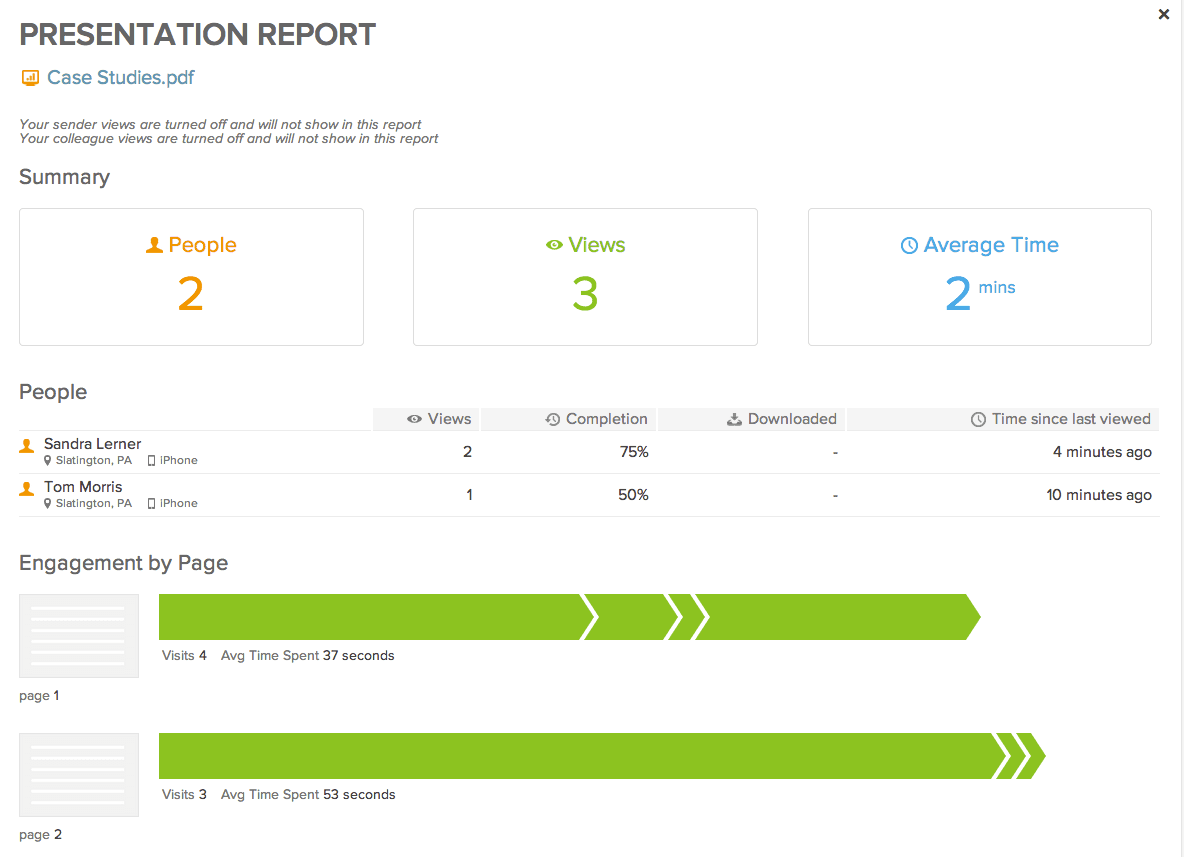
Actionable Tip: Use Yesware’s Attachment Tracking to see which specific pages of your pitch deck a prospect spent the most time on. If they linger on the “Pricing” page for three minutes, you know exactly what to lead with in your next call.
2. Mailsuite
Mailsuite is a popular choice for users who want a simple, no-frills “double-checkmark” system similar to WhatsApp. It is highly effective for individual users who only need to know if an email was opened.
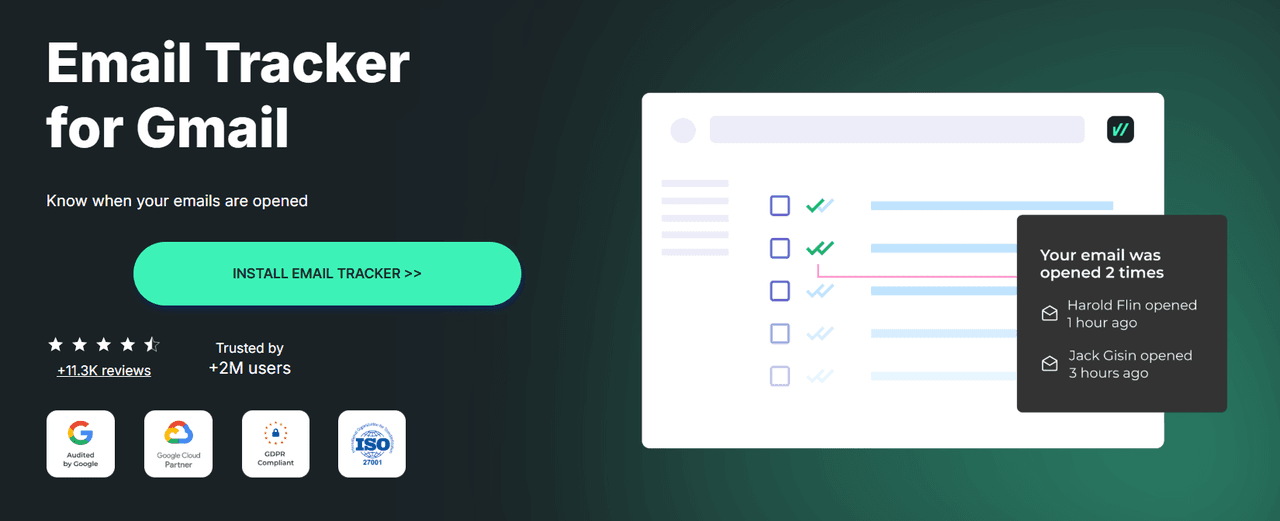
While it is excellent for visibility, it lacks the robust sales features found in Yesware, such as multi-touch campaigns or Salesforce integration. It is best suited for freelancers or casual users who don’t require deep engagement analytics.
3. HubSpot Sales Hub
HubSpot has evolved its email tracker Chrome extension by integrating the AI Prospecting Agent, a tool designed to automate the heavy lifting of the sales process. This agent functions as a virtual sales assistant that researches leads, identifies high-fit prospects, and drafts hyper-personalized outreach based on CRM data and external signals.
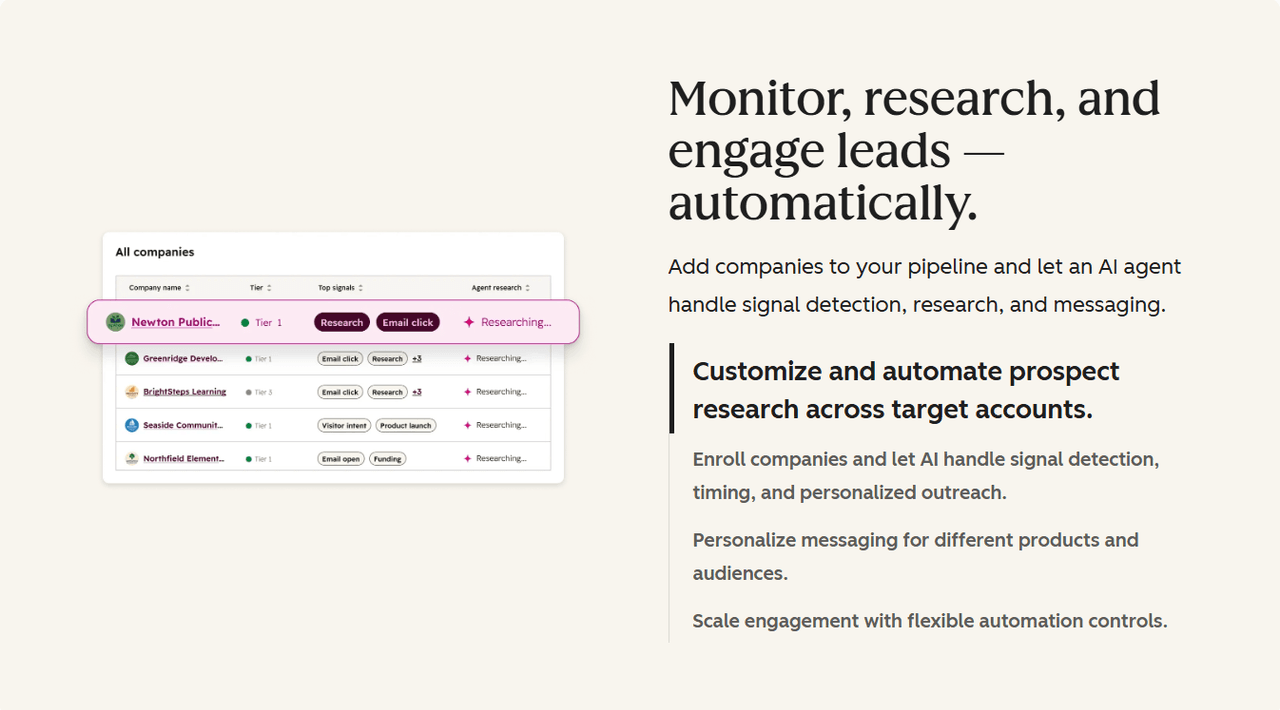
Key Highlight: The AI Prospecting Agent’s primary goal is to keep your sales pipeline full without the manual grind of cold prospecting. It handles the initial “detective work,” allowing reps to focus on the actual conversations.
For sales professionals who prefer to maintain total control over their 1:1 outreach from within their inbox, this enterprise-level automation can feel like overkill. While the AI features are robust, they often require navigating the broader, more complex HubSpot CRM platform.
If you’re looking for a simpler, “install and go” Chrome extension for email tracking that enhances your current workflow rather than automating it entirely, a streamlined tool like Yesware may be the more efficient choice for your daily outreach.
4. Mixmax: Multi-Channel Engagement
Mixmax is a robust Chrome email tracking extension built for teams that need to engage prospects across multiple touchpoints. It excels at turning standard emails into interactive experiences by embedding features directly into the message body.
Key Highlight: Mixmax is well-known for its “in-email” enhancements, such as one-click polls, link previews, and the ability to schedule meetings without the recipient leaving their inbox. This focus on the recipient’s experience can help boost engagement rates for complex sales cycles.
While powerful, Mixmax is often priced at a premium. For teams that primarily need high-performance tracking and automated follow-ups without the extra “fluff” of interactive polls, the simpler interface and cost-effectiveness of Yesware often provide a better return on investment.
5. Streak: The CRM Inside Gmail
Streak takes a unique approach by turning your Gmail interface into a fully functional CRM. Instead of just being an email tracker extension for Chrome, it builds a spreadsheet-style pipeline directly into your inbox view.
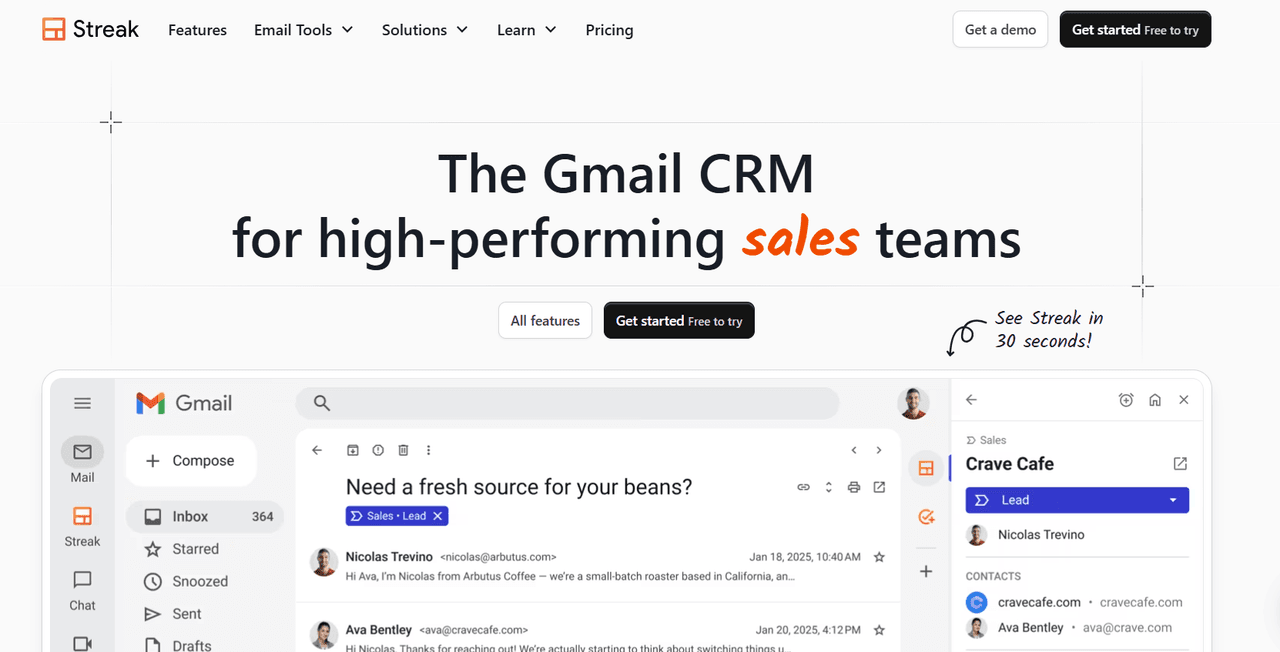
Key Highlight: Streak is perfect for users who want to manage their entire sales funnel without ever leaving Gmail. It offers “Mail Merge” features and view-tracking that tells you the city and device type of the person opening your email.
The downside is that because Streak lives inside your Gmail code, it can occasionally slow down your browser performance. If you already have a CRM like Salesforce and just need a powerhouse tool to feed it data and track opens, Yesware offers a much lighter footprint with more specialized sales outreach features.
6. Right Inbox: Personal Productivity Essentials
Right Inbox is a straightforward extension designed to help individual contributors manage their daily email volume more effectively. It covers the core essentials of email tracking, reminders, and recurring emails.
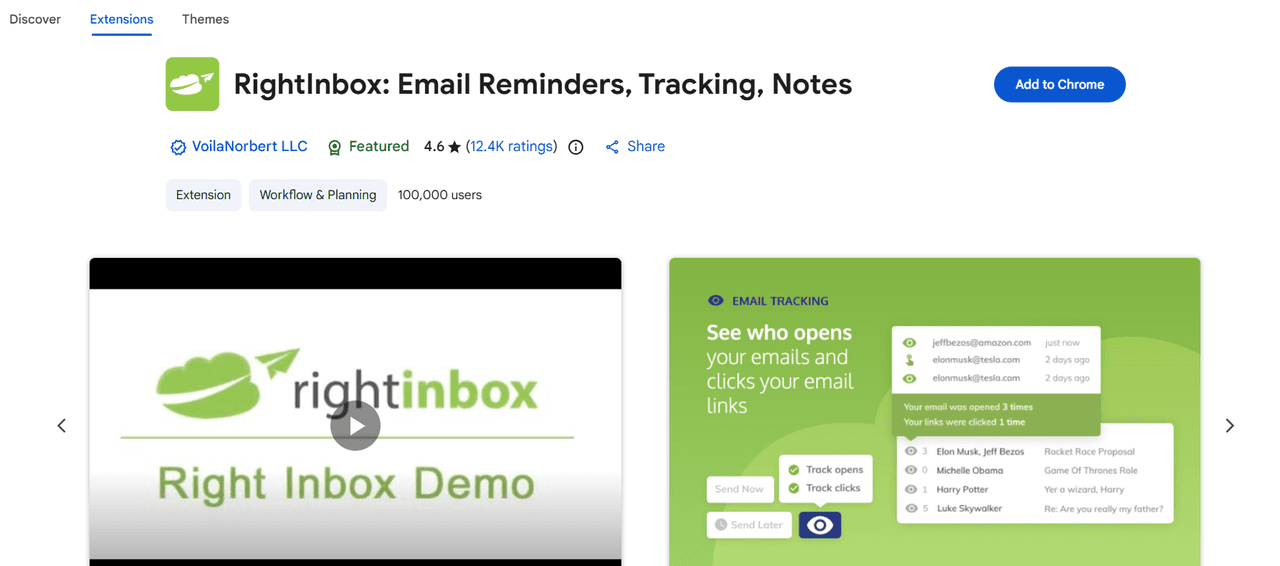
Key Highlight: One of its standout features is the “Reminders” tool, which brings an email back to the top of your inbox if you haven’t received a reply by a certain time. This ensures that no lead accidentally falls through the cracks due to a busy schedule.
However, Right Inbox lacks the “Team” element that modern sales departments require. It doesn’t offer shared templates or team-wide activity reporting. For a collaborative sales environment where sharing winning messaging is key to making every rep a top performer, Yesware is the superior choice.
7. Salesflare: Automated Data Entry for SMBs
Salesflare is a “zero-input” CRM and Chrome email tracking extension designed specifically for B2B small and medium-sized businesses. Its primary mission is to eliminate manual data entry by automatically pulling information from social media, email signatures, and company databases.
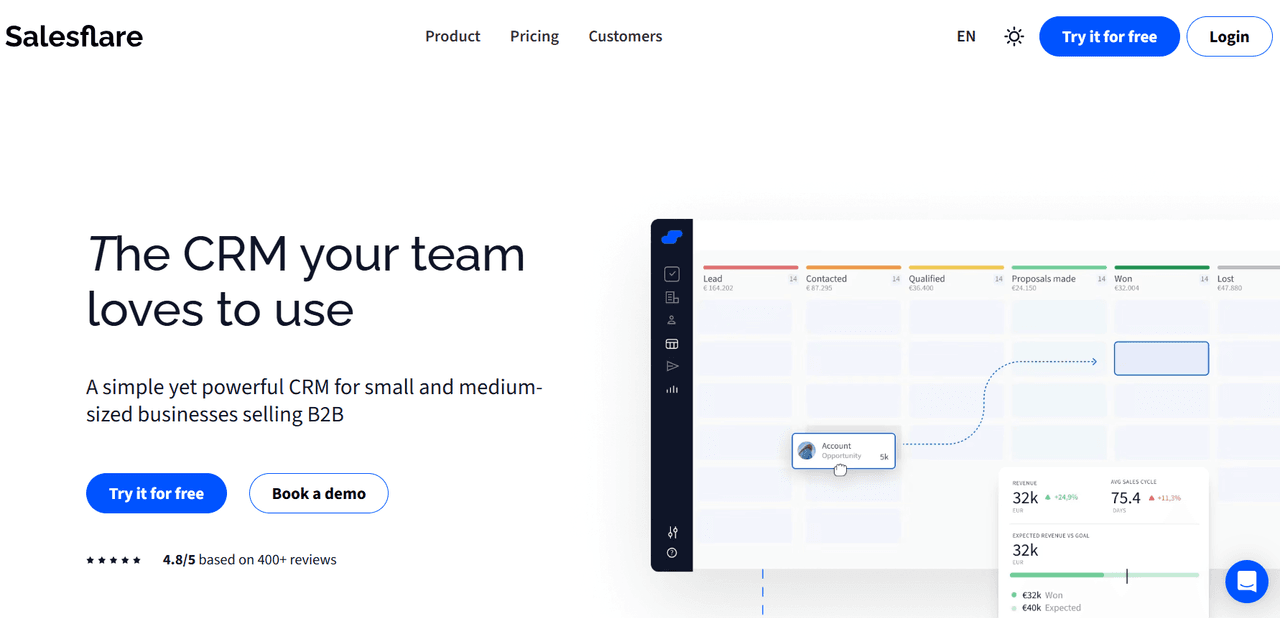
Key Highlight: Salesflare excels at “Contact Enrichment.” The moment you receive an email, the extension can build a full profile of the prospect, including their phone number and social profiles. It then tracks every interaction you have with them automatically.
While Salesflare is great for data gathering, its outreach automation is not as granular as tools built specifically for high-volume sales. If your goal is to personalize 1:1 outreach at scale and use data to fine-tune your messaging, Yesware’s campaign and template analytics provide deeper insights into what actually drives conversions.
 Sales Engagement Data Trends from 3+ Million Sales ActivitiesLooking at millions of tracked email activity over the past few years, this ebook is filled with our top studies and findings to help sales teams accelerate results.
How to Choose the Best Email Tracking Extension for Your Sales Stack
Selecting the right Chrome email tracking extension is about more than just seeing a “read” receipt. To truly move the needle on your revenue, your chosen email tracker Chrome extension must fit into your workflow without adding friction. Here is what you should evaluate before hitting “Add to Chrome.”
Does It Offer Real-Time Notifications?
In sales, speed to lead is a critical metric. A delay of even thirty minutes can mean the difference between a warm conversation and a cold trail.
A high-quality Chrome extension for email tracking should provide instant desktop or mobile “pop-up” alerts the moment an action is taken.
Yesware takes this a step further with its Recipient Engagement Report, which aggregates these notifications. Instead of just seeing one open, you can identify “hot” prospects who have opened an email ten times in an hour, which is a clear signal that they are ready for a phone call.
Will It Impact My Deliverability?
Many basic tools use shared domains for their tracking pixels. If another user on that shared domain sends spam, your emails might end up in the junk folder too.
A professional email tracker extension for Chrome allows you to set up a Custom Tracking Domain. This ensures that the tracking pixel is associated with your own brand’s domain, which protects your sender reputation and ensures your outreach lands in the primary inbox.
Does It Integrate With My CRM?
Manual data entry is the top productivity killer for sales reps. Your Chrome email tracking extension should offer a seamless “sync to CRM” feature for platforms like Salesforce or Vendasta.
When your extension automatically logs every open, click, and reply to the correct contact record, it does more than save time; it improves your data integrity. Teams using integrated tracking report a 10-15% improvement in sales forecast accuracy because their pipeline data is based on real engagement rather than rep guesswork.
Is the User Interface Intuitive?
A tool is only valuable if your team actually uses it. Enterprise sales software is often criticized for being overly “clunky,” requiring days of training.
Look for an email tracker Chrome extension with a “60-second setup” that lives natively inside Gmail or Outlook. The goal is to sell where you email.
If a rep has to leave their inbox to find a tracking report, the friction will eventually lead to abandonment. Yesware is built on this “low-friction” philosophy, ensuring reps get value on day one.
Does It Support Attachment and Link Tracking?
An email open tells you someone is interested; a link click tells you what they are interested in. An advanced Chrome extension for email tracking wraps your URLs and attachments in a unique tracking code.
- Link Tracking: See which Call-to-Action (CTA) is driving the most traffic.
- Attachment Tracking: Discover which pages of your proposal the prospect spent the most time on. If they spent four minutes on the “Implementation” slide but skipped “Pricing,” you can tailor your follow-up to address technical hurdles.
Can It Scale Through Templates and Automation?
As your sales volume grows, manual tracking isn’t enough. You need an email tracker extension for Chrome that allows you to save your highest-performing emails as Templates.
By analyzing the data from your extension, you can identify which subject lines have the highest open rates and which body copy gets the most clicks. You can then share these winning templates across the entire team, effectively making every seller a top performer.
Conclusion: Choosing the Right Tool for Your Sales Workflow
Selecting a Chrome email tracking extension is one of the quickest ways to upgrade your sales process. By moving away from the uncertainty of untracked outreach, you gain the visibility needed to focus on the right leads at exactly the right time.
Whether you are a solo founder needing simple read receipts or a high-growth sales team looking to automate multi-touch campaigns, there is a tool on this list that fits your needs.
The most successful sales teams in 2026 aren’t just sending more emails; they are sending smarter ones. By leveraging real-time data, custom tracking domains, and seamless CRM integrations, you can turn your inbox into a strategic advantage. Remember that the best tool is the one your team will actually use, so prioritize a “frictionless” experience that lives where you already work.
Ready to stop selling in the dark? Try Yesware for free and start tracking your outreach in under 60 seconds.
Chrome Email Tracking Extension FAQs
1. What is the most accurate Chrome email tracking extension?
Yesware is widely considered the most accurate extension for sales professionals because it uses advanced pixel technology. This ensures high deliverability and precise reporting on opens and clicks without being flagged as spam by recipient servers.
2. Can I use an email tracker for free in Chrome?
Yes, many tools like Yesware offer a “Free Forever” plan. These typically include basic open tracking and limited notifications, while premium features like automated follow-up sequences and CRM integration require a paid subscription, usually starting around $15 per month.
3. How does email tracking work in a browser extension?
Most extensions insert a tiny, invisible 1×1 pixel into your email. When the recipient opens the message, the pixel loads from the server, triggering a real-time notification to the sender. This allows sales reps to see exactly when their outreach is being viewed.
4. Is email tracking legal under GDPR?
Yes, but it requires compliance. Professional Chrome email tracking extensions like Yesware include features to help you stay compliant, such as the ability to disable tracking for specific regions or providing clear opt-out options in your automated outreach campaigns.
5. Will the recipient know I am tracking their email?
Standard tracking is invisible. However, some free tools add a “Sent with…” signature to your emails. Professional tools like Yesware provide completely invisible tracking, ensuring your emails look personal and organic while still giving you the data you need to sell smarter.
6. Can I track link clicks with a Chrome extension?
Yes. Beyond just opens, a high-quality extension will wrap your URLs in a unique tracking link. Yesware allows you to see exactly which link was clicked and how many times, helping you identify which resources or call-to-actions are most effective.
7. Does email tracking work on mobile?
While most tracking is set up via a Chrome extension on your computer, the data syncs across platforms. Yesware users can receive push notifications on their phone the moment a prospect opens an email, allowing for immediate follow-up even when you are away from your desk.
8. Why are my tracked emails going to spam?
If you use a tracker with a shared domain, filters may flag it as suspicious. Yesware solves this by allowing users to set up a Custom Tracking Domain, which aligns the tracking pixel with your own brand’s domain, significantly improving your sender reputation and inbox placement.
9. Can I track attachment downloads?
Not all extensions support this. However, Yesware provides detailed attachment tracking, showing you which pages of a PDF or PowerPoint were viewed and for how long. This is a game-changer for identifying which parts of your proposal truly interest the prospect.
10. Do I need a CRM to use an email tracker?
No, but it is highly beneficial. You can use Yesware as a standalone tool to manage your 1:1 outreach. For growing teams, it also seamlessly syncs all tracking and engagement data to Salesforce, keeping your records accurate without any manual data entry.
Get sales tips and strategies delivered straight to your inbox.
Yesware will help you generate more sales right from your inbox. Try our Outlook add-on or Gmail Chrome extension for free, forever!
Related Articles


Anya Vitko

Anya Vitko
Sales, deal management, and communication tips for your inbox